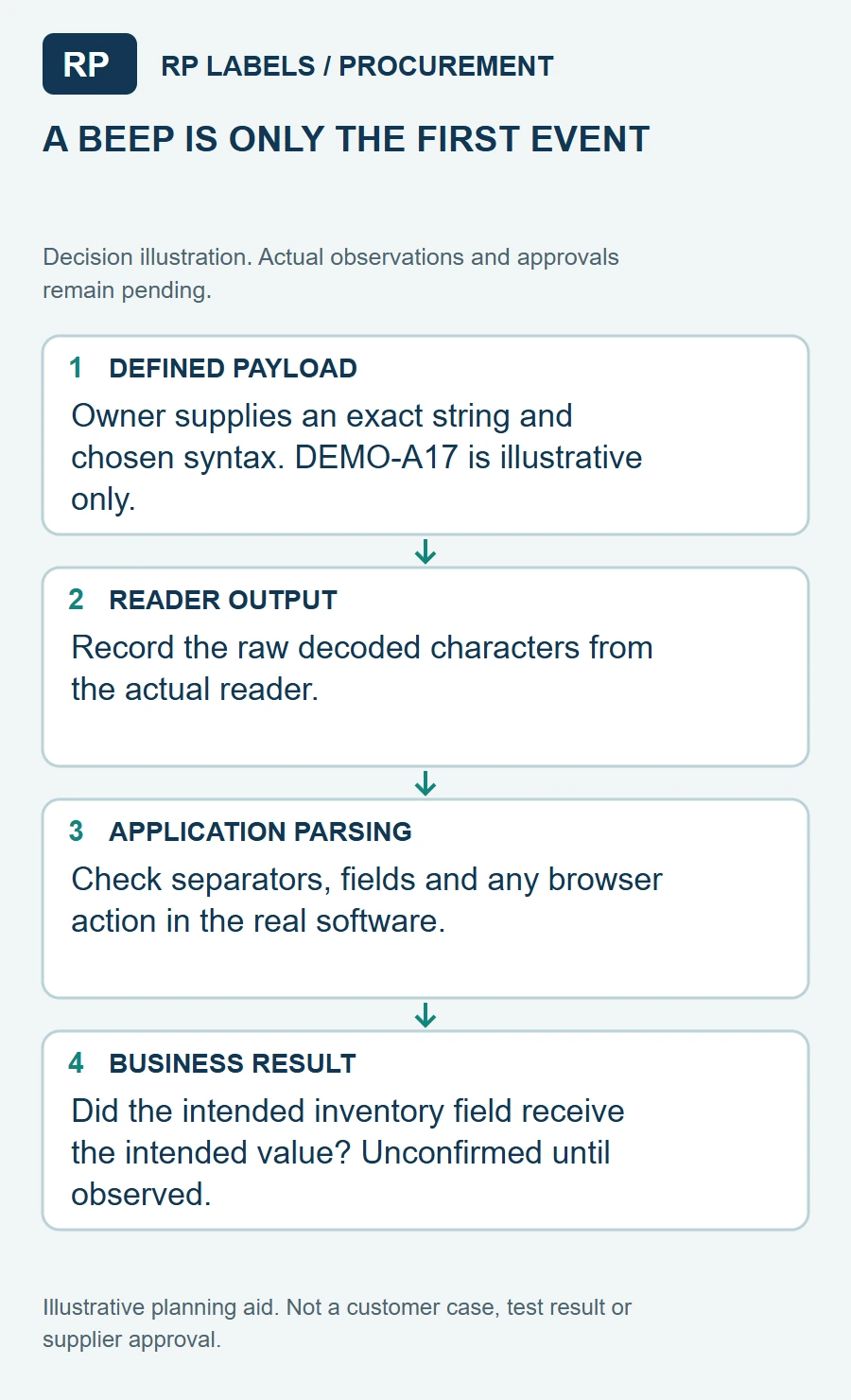
A square code is often added to a small vial because it seems to solve the space problem. It may, but two square codes that look similar on a design board can serve very different tasks. Before choosing DataMatrix or QR, I would ask who scans the label, with what device, and what answer that person expects to get.
Suppose a receiving team wants a scanner to capture an internal item identifier and lot field. A consumer-facing QR journey to a web page is not the same requirement. Reversing them can leave a beautifully printed code that the intended device does not parse. The code decision belongs in the data and workflow brief, not at the end of graphic design.
Choose the workflow before choosing the symbol
GS1 distinguishes GS1 DataMatrix, Data Matrix with GS1 Digital Link and QR Code with GS1 Digital Link by data syntax and use. The distinction matters when a buyer expects GS1 identifiers such as GTIN, batch or expiry data. GS1 notes that GS1 DataMatrix is used extensively in supply-chain and healthcare workflows, while QR with GS1 Digital Link is suited to a web-compatible route and common phone-camera engagement. This does not mean every research vial needs a regulated healthcare code or that any QR automatically follows a GS1 standard.
Write the desired scan result in one plain sentence: "The receiving scanner should place our lot number in the inventory field," or "A phone should open the brand-owned instructions page." If there are two destinations, consider whether they really belong in one symbol. Confirm the scanner's symbology support and software configuration with the team that operates it. A printer can reproduce supplied artwork; it cannot infer an organization's data architecture from a tiny square on a PDF.
Make data ownership explicit
Who assigns the identifier? Who produces the variable-data file? Who checks that a repeated code has not slipped into a different vial variant? Who owns and maintains the landing URL if a QR is used? Those are separate responsibilities. Put a sample encoded string, human-readable text requirement and a version-controlled file format in the order brief. Never invent a GTIN, lot or expiration field merely because an example photo shows one.
If a web destination is involved, use a domain and path controlled by the brand, not a printer's temporary short link. Check what happens when a product is discontinued or the page changes. A printed code is persistent; a web destination may not be. For an authentication program, a code alone is not evidence of authenticity: copied artwork can carry the same printed symbol. The brand must design the response and back-end logic separately.
Test the real surface and the real device
On a small vial, neither symbol gets a free pass from curvature, glare or a label seam. Reserve a high-contrast flat-looking panel with the proper quiet area and avoid printing over a fold, shoulder or heavy metallic region. GS1's 2D barcode overview explains the carriers, but the actual print-size and quality target must be selected for the scanning environment. Ask for an applied sample on the actual glass and scan it in normal room lighting and under expected handling conditions.
A valid test uses the approved code content, production-representative material and the real reader. Keep failed scans in the record too; they often reveal whether the issue is code content, symbol size, contrast or application placement.
What to send with the custom-label request
Send the vial dimensions, label space, requested code type or scan purpose, scanner model, expected data fields, destination owner, artwork and quantity per version. Indicate whether the same label also needs a human-readable product name, lot or date. Ask the supplier to show both the flat proof and an applied-vial proof with space reserved for the code. The practical winner is not the symbol that looks smallest in isolation. It is the one that your intended scanner and operator can use without a workaround.
Sources and scope
Reviewed October 2, 2026. The primary references linked below support the identified technical points. Buying scenarios and inspection checklists are editorial guidance, not RP production records, certification, legal approval or universal acceptance standards.