The buyer sends a flat proof with a neat square code beside the product name. I ask where the vial will be when somebody actually scans it. If the vial is seated in a rack, the front face may be hidden by the next vial or a tray rail. A pass on a loose bottle at the artwork desk is not a pass in the packing workflow.
The pictured RP Research vials make the issue visible, but they are an AI-generated example with fictional codes. They are not a scanner test. For a real order, the decision belongs on the production brief before the unwind direction and label orientation are approved.
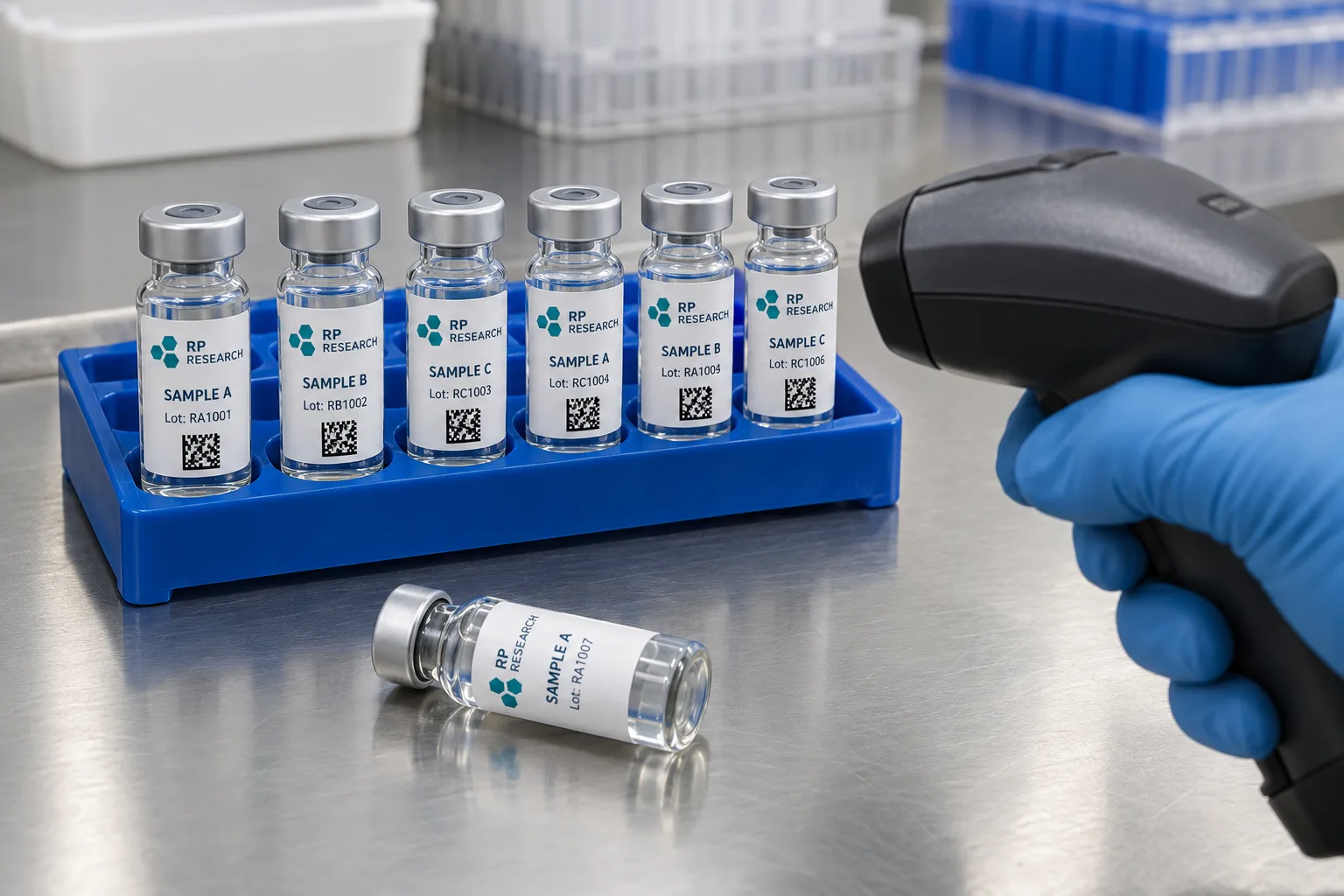
Draw the scan path on the actual tray
Put the filled vial, cap and tray on one table. Record which side faces the operator, whether the vial can rotate in its slot, how much of the straight glass wall remains visible, and whether scanning happens before or after tray loading. Note the scanner type and the normal working distance. If operators scan individual vials while filling a kit, that is a different placement question from scanning a finished tray at dispatch.
Place a printed trial label on the real vial and insert it in every relevant tray position. Mark the visible arc. Do not assume the whole wrap is available just because the dieline shows a generous width. The vial measurement guide covers the wall; this step covers what remains visible after packing.
Keep code geometry and print quality separate from design preference
GS1's barcode verification guidance explains that print quality, contrast, quiet zones and symbol geometry affect verification. A code is not a decorative icon. On a narrow cylinder, parts of a wide linear code can curve out of the scanner's view. A compact 2D code may fit better in some layouts, but it still needs a clear printed area, suitable size and a scanner that supports the format. GS1's 2D guidance discusses curvature, reflectivity and other real-world scanning conditions.
I would keep the variable code away from a strong seam overlap, dense metallic effect or high-gloss highlight until a physical sample proves otherwise. Ask the printer which process will add changing data and how the code will be checked. Do not treat a QR-looking square in a generated mockup as a functional barcode.
Match roll orientation to application orientation
If labels are applied by machine, ask for the applicator's unwind diagram, core size, web width, gap, leading edge and sensor requirements. The roll-direction guide gives the basic handoff questions. A code that lands on the correct side in a hand-applied sample may rotate out of view when the machine applies the same art from a different leading edge.
Print a short production-representative proof, apply it with the intended process, load the tray and scan at the ordinary station. Repeat after the vial has followed its expected handling path. Record failed positions rather than just a single overall pass rate. If one tray pocket consistently hides the code, changing scanner settings may not fix a placement mistake.
Send the supplier a scan-ready brief
Share the vial and tray references, application method, reader model, code type, data field length, target code size, visible arc, quantity per artwork and whether the code is static or variable. Ask for a sample on the actual bottle and a verification plan for printed variable data. If the code carries batch information, align its human-readable text with the batch field layout.
My approval rule is practical: scan a labelled vial in the place where an operator will scan it. A beautiful flat PDF is only the first checkpoint.
Sources and scope
Reviewed October 17, 2026. The primary references below support the cited technical or regulatory points. The illustrated buying scenarios are editorial guidance, not RP production records, certifications, legal approvals or universal acceptance standards.