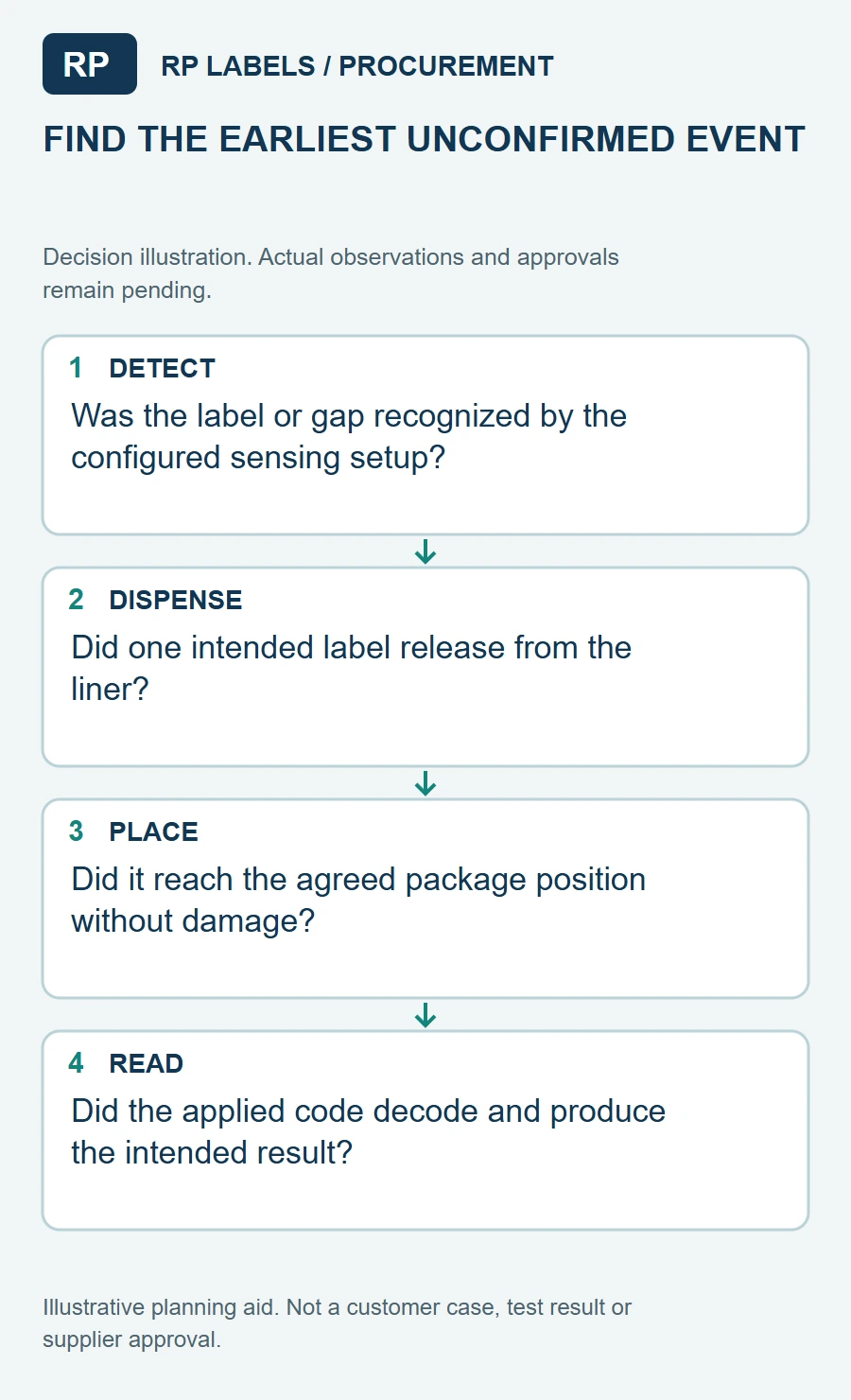
A sample hologram can sparkle, and its QR code can look sharp, yet the automatic line may still stop after a few labels. The applicator has to detect each label on a liner, release it at the right point, put it on a moving product and leave the code readable after application. Those are separate checks from approving the optical design.
I would ask for the machine brief before finalizing the holographic artwork. A roll described only by finished label size is incomplete. Core diameter, outer diameter, winding direction, liner, gap, sensor method and the placement surface can decide whether the attractive sample is usable in production.
Specify the roll around the applicator
HERMA's applicator overview identifies the unwinder, label sensor, dispensing system and rewinder as core parts of the process. Its HERMA eco specification gives examples of core sizes and label-detection sensors, including options for transparent labels. These are machine-specific examples, not universal roll requirements. The buyer must obtain the dimensions and sensing setup from the actual applicator owner.
Request a diagram showing which edge of the security label leaves the roll first and which face points outward. If the design is directional, a reversed unwind can turn an otherwise correct roll into a rework job. Ask whether the machine reads the gap, the liner, a printed mark or another feature. Holographic film and transparent or unusual liners can make sensor selection more important than it was for a plain paper label.
Do not approve the hologram without its construction
Avery Dennison's holographic film data sheet illustrates that a holographic label is a construction of face film, adhesive and liner, not simply a print effect. The chosen materials affect die cutting, waste stripping and dispensing. A converter should provide the proposed construction and a short trial roll, especially when the QR area, shape or backing differs from the brand's existing labels.
Run that trial at the intended line setting. Record missed labels, double feeds, edge lifting and placement drift. Do not assume a roll that hand-dispenses well will behave identically through a peeler plate and sensor. If a problem appears, change one variable at a time so the team knows whether the liner, sensor threshold, die cut or product position caused it.
Verify the applied QR, not just the printed QR
GS1's 2D retail guidance discusses contrast, reflectance, folds and print-surface effects on scanning. Keep the QR or other chosen data carrier on a controlled non-reflective field with its required quiet zone; a rainbow hologram should not cross the code merely for visual effect. Then scan the label after application, on the actual carton or bottle, with the devices used by the intended customer.
Make the quote a small production handoff
Send the applicator model, roll/core limits, unwind diagram, sensor type, liner preference, label dimensions and gap, product sample, target placement, QR data specification, quantity and whether codes are static or variable. Ask for a converted trial roll and an applied scan report from the actual line. The cheapest correction is made before thousands of beautiful security labels are wound in the wrong direction.
Sources and scope
Reviewed October 4, 2026. The primary references linked below support the identified technical points. Buying scenarios and inspection checklists are editorial guidance, not RP production records, certification, legal approval or universal acceptance standards. Demand layer: competitor and process pages linked here, including Avery, HERMA or OnlineLabels where cited, illustrate buyer language and process topics only. They do not supply RP minimum quantities, lead times, prices, certifications or materials. Authority layer: an RP number is backed only by a factory datasheet, a signed quote or proforma, confirmed product data, or a fact kept on the About page. The March 2026 proforma there is one production-run example, not a standing offer. RP shipping and planning pages describe what to confirm on a quote. Worked figures on this page are fictional unless an authority source is named for them.