Inkjet or Laser Label Stock: Confirm the Finished Construction for Your Printer
Order stock identified for the actual printing process and device. “White film,” “BOPP,” “PET” and “glossy” describe parts of a label proposal; none alone establishes that the finished label will accept your inkjet ink or laser toner. If changing data will be printed locally, include that route before approving the bulk stock.
Start with the machine already doing the work
A supplement brand may outsource its stable full-color design and print a changing field locally. Another buyer may print nearly the entire short run in house. Those are different scopes, but both need an identified device, consumable and printable construction. The preprint versus local-print guide helps choose that division of work; this article checks which stock can enter the selected route.
Record the actual printer model, ink or toner reference, sheet or roll feed and the fields being printed. Inkjet, laser, direct thermal and thermal transfer are not interchangeable labels for “digital.” If the device uses a ribbon or heat-sensitive media, use the thermal-stock decision rather than buying a sheet described only as suitable for a digital printer.
Separate surface receptivity from heat and transport suitability
Avery’s inkjet/laser product guidance explains why its process-specific products should be matched to the intended printer. Wet-ink reception differs from the heat and transport conditions in laser printing. It also identifies products designed for both processes. That is a reason to check an exact product’s declaration, not a claim that all laser-only stock will fail identically in inkjet equipment.
For the ColorWorks context, Epson recommends inkjet-coated label media for image quality and durability. This does not certify an RP material or every inkjet printer. Ask the media provider which ink system, surface and model its compatibility evidence actually covers.
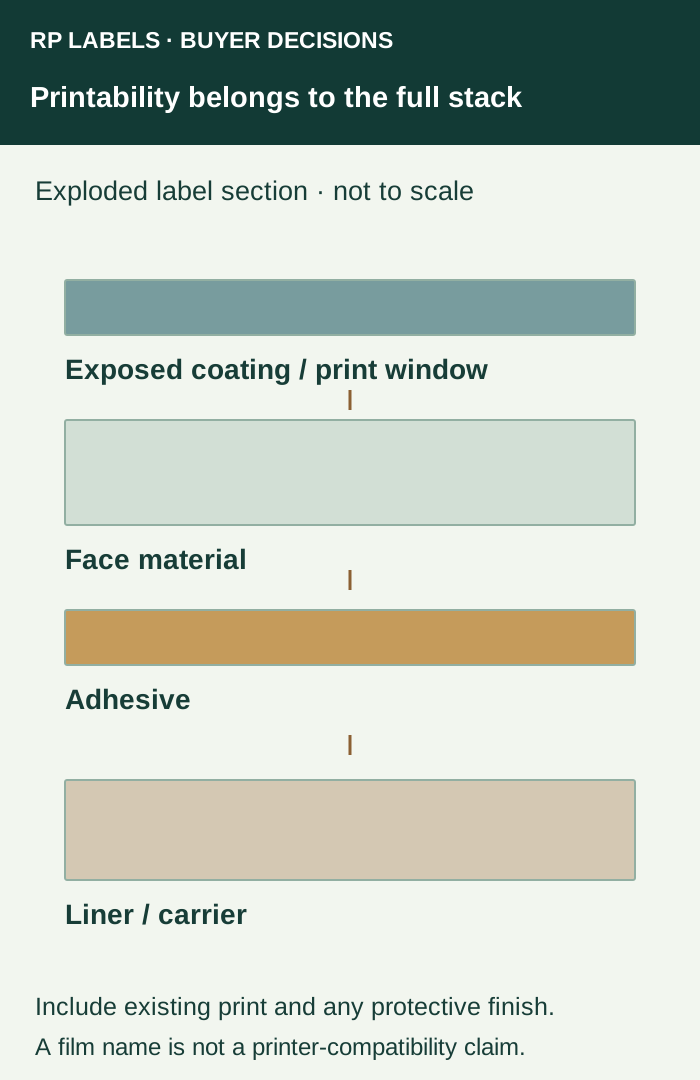
The complete supplied label matters: receptive topcoat or later-print window, face material, adhesive, liner, preprinted inks and protective finish. A familiar film with a different top surface can be a different printing proposal. A sheet that accepts a mark but cannot feed within the device’s documented limits is not an approved production solution.
Choose where the changing field will be produced
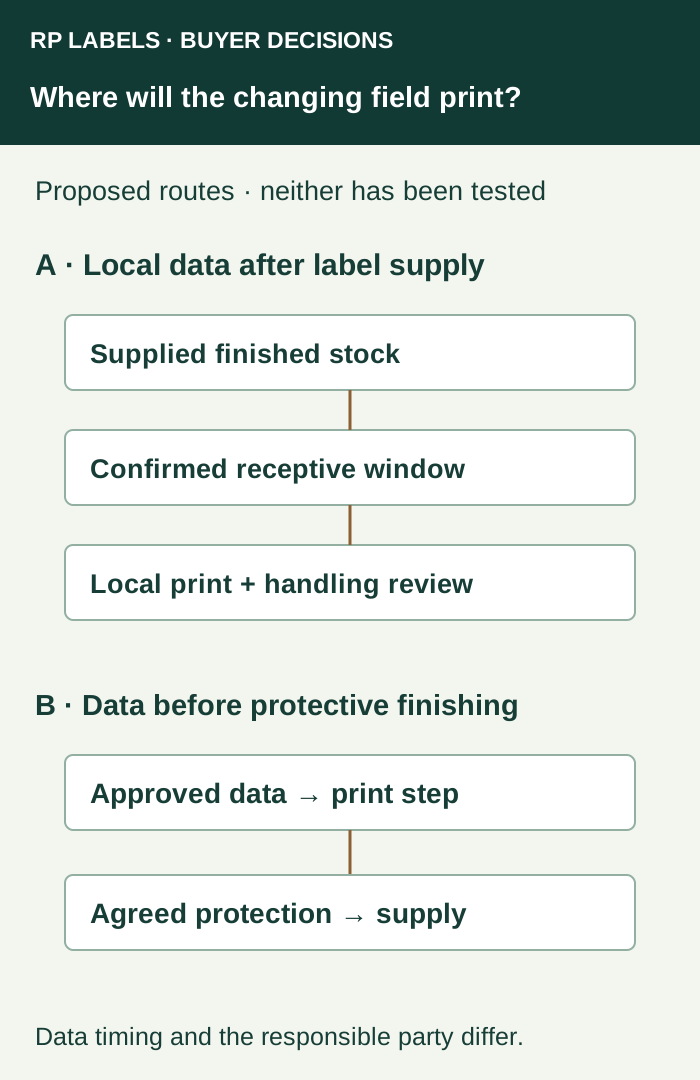
If the packer prints after receiving finished labels, specify the finished exposed surface in the variable field. A white rectangle in the design is only a location; it does not create an ink-receptive coating. Ask which physical layer will actually be under the local ink or toner.
If the converter prints the changing information before a protective finish, the data must be ready for that production step. A subsequent lot change then requires another agreed supply route. Do not move this task between supplier and packer without changing the brief. A third option is a separately qualified printable protective construction, where available and demonstrated for the project.
| Purchase situation | What must be established | Reason to pause |
|---|---|---|
| Inkjet output onto supplied stock | Exact exposed surface, ink/device match and relevant handling evidence | Only the base film name is supplied |
| Laser output onto supplied sheets | Device-approved label product and feed conditions | Only inkjet suitability is declared |
| Both printer types may be used | Evidence for each actual route or separate controlled stocks | A “universal” description has no identified scope |
| Local output after preprint/lamination | Compatibility of the final exposed zone and complete construction | The test used unfinished blank material |
Test only a candidate that meets the device’s media instructions
Obtain compatibility information before loading unknown adhesive sheets or rolls. The equipment owner should follow the manufacturer’s supported media, dimensions, condition and feed instructions. This guide supplies no temperature, media setting or permission to refeed a partly used sheet. Keep damaged sheets and exposed adhesive out of an improvised compatibility trial.
Use approved candidate material with the intended layout and longest real changing field. Retain device, consumable, surface and file references. Record feed behavior, the finished mark and any required drying or conditioning basis from the provider. Then assess the labeled bottle or vial against the actual handling, moisture or wiping requirement. Water resistance of an unprinted film does not establish the durability of locally added information.
An individual public question about buying laser stock for an inkjet printer illustrates the naming confusion. Its comments do not establish compatibility or justify a tape-and-laminate repair for a commercial label order. Get the material and output requirements resolved with the responsible suppliers.
Make the inquiry specific enough to quote
For supplement or vial labels, prepare an RP inquiry with the container, size, quantities per design, fixed artwork, changing fields and who will print them. Include the local device and consumable references, requested supply format and required handling. Ask which complete construction and sample scope can be proposed. Actual compatibility, availability and operating responsibility must be confirmed for that offer.