PDF/X for Label Artwork: Agree the Export Standard and Output Intent
Ask the converter which PDF/X version and export settings its label workflow requires before choosing a preset. PDF/X-1a and PDF/X-4 describe different exchange workflows; selecting the newer-looking name does not establish the correct printing condition, preserve every intended layer or approve the final label.
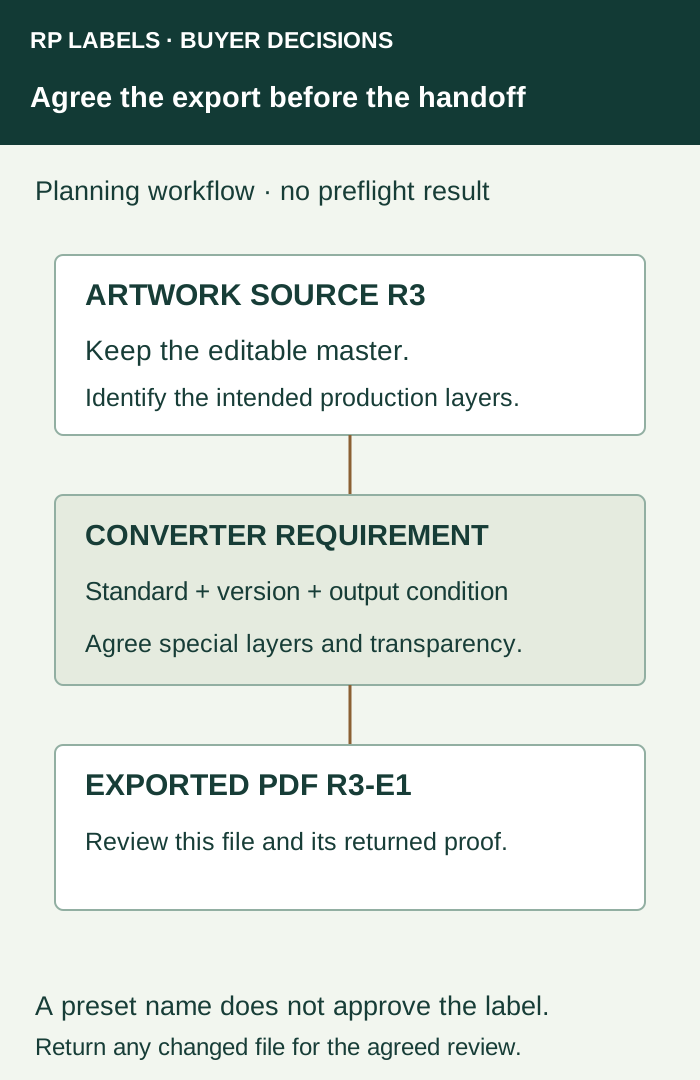
Turn “print-ready PDF” into a specific request
For a supplement, vial or hologram label, the designer needs more than the words high quality. Obtain the required standard/version or an accepted export preset, intended printing condition or profile instructions, final dimensions and bleed, and the treatment of spot, white, foil and cutting information. Ask whether technical artwork belongs in the production PDF, in separately identified files, or another agreed arrangement.
Keep the editable source. Make an export copy tied to an artwork revision rather than repeatedly overwriting the only file. A converter’s request can differ from a previous supplier’s request without either supplier being universally wrong. Confirm the actual requirement for this order.
What the PDF/X choice changes
Adobe’s Illustrator PDF guide distinguishes a PDF/X-1a CMYK/spot workflow from PDF/X-4’s support for color management and live transparency. Its discussion also directs users to ask the print provider for suitable settings. Use that distinction to clarify the requested handoff; do not flatten, convert or rebuild every supplied element without the designer and converter agreeing the result.
| Converter’s instruction | Useful response | Unresolved by the instruction alone |
|---|---|---|
| Specified PDF/X-1a workflow | Designer exports to that accepted requirement and checks affected artwork | Whether the finished label has the approved color and reflective appearance |
| Specified PDF/X-4 workflow | Designer preserves and supplies content as the accepted workflow requires | Whether every downstream process is configured for that file |
| Only “PDF” is requested | Ask for the required version, preset or content rules | The appropriate color and transparency treatment |
An output intent is not a color-repair button
Adobe’s Acrobat explanation identifies the output intent as a description of the intended reproduction destination. Adding that description does not itself convert the colors in the PDF. Ask which printing condition the converter expects; do not select a familiar regional profile merely to satisfy a dialog box.
The label’s substrate, white layer and finish still belong in the physical color discussion. A profile name in a file is not proof that a clear label with white underprint will match a coated-paper reference. Use the physical color-master guide for that separate acceptance task.
Keep transparency changes visible
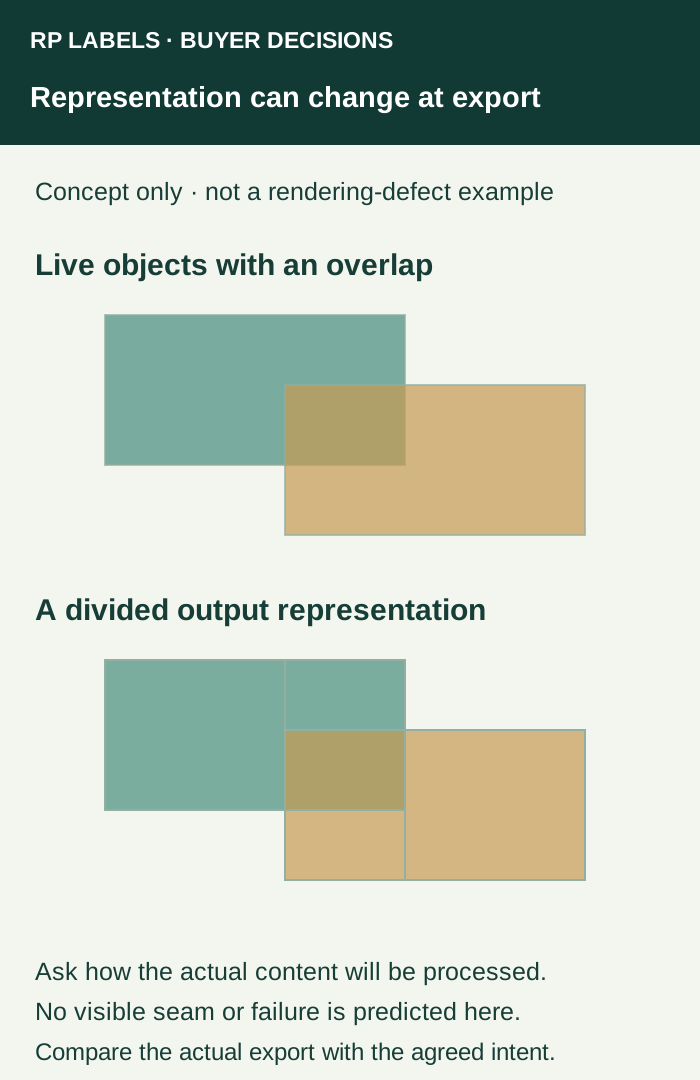
A fictional label contains a translucent decorative shape crossing a spot-color mark. The designer receives an export request that changes how transparency is represented. The useful action is to identify the affected elements, export through the agreed workflow and compare the resulting file. It is not to assume that every PDF carrying the same filename remains equivalent.
The designer or prepress operator should review fonts, images, dimensions, special separations and relevant transparency in the actual exported PDF. If a white or foil instruction is no longer clear, return the file for correction before approval. The overprint and separation review addresses those overlap intentions after export; the present task establishes what the converter is supposed to receive.
Ask for a returned proof linked to that export
Keep four references together: the artwork source revision, converter’s requirement, submitted PDF and returned proof. If prepress changes the PDF, ask what changed and review the returned revision. A preflight result can address defined file requirements; it cannot decide whether the buyer supplied the right product wording or whether the physical finish meets the approved target.
A small repeat order with an unchanged, accepted workflow may need a focused confirmation. A new converter, print route or important artwork effect deserves renewed export clarification. The buyer need not purchase preflight software just to request the required settings and an identified review from the parties already doing the work.
For an RP supplement, vial or hologram-label project, prepare an inquiry with the dimensions, artwork revision, intended construction, quantities and special-layer map. Ask for the required PDF export and proof scope for that proposal. This article does not declare a standing RP PDF/X version or production profile.