Outlined or Embedded Fonts for Supplement Labels? Keep the Editable Master
The brand has approved a supplement label, including the small ingredient panel. The print supplier opens the artwork and a font warning appears. Someone converts the text to outlines to get the order moving. A month later, a copy change arrives—and the only file the team can find is the outlined version.
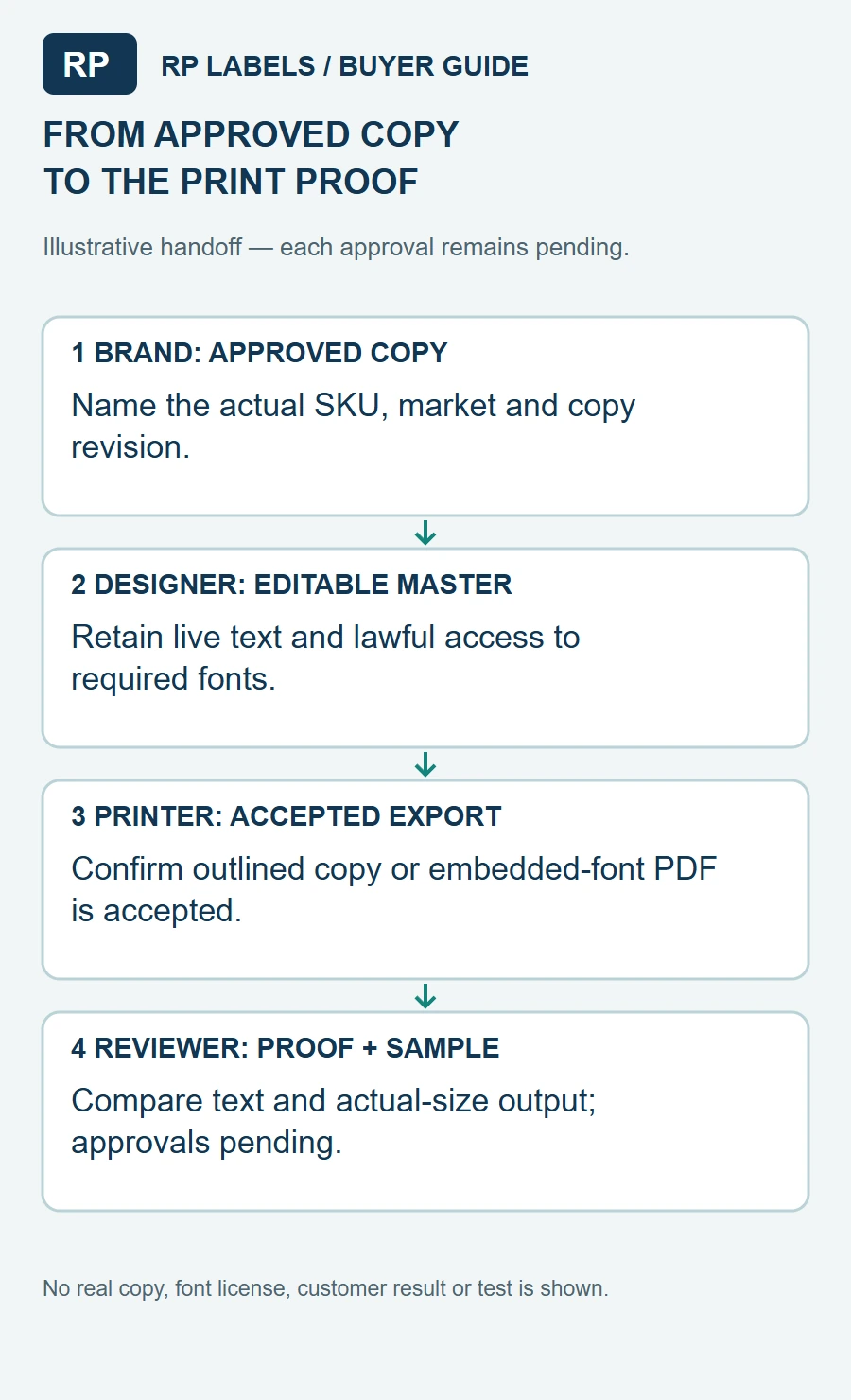
For a label buyer, the practical decision is not simply “outline everything.” Ask the printer which file it accepts, keep a controlled editable source, and review the exact print file against the approved text before release. An outlined copy can help a production handoff, while an embedded-font PDF can be appropriate in a workflow that accepts it. Neither approach replaces the product owner's copy approval or a physical readability check.
Why a font warning matters to the buyer
If the production system cannot access a required font, the printer may stop the job or the file may render with a substitute. Either outcome can force a new proof. A changed typeface can alter line breaks, crowd a Supplement Facts area or push a business line closer to the cut. It can also look nearly right on screen while changing a character in a product name or a unit.
The result is not predetermined: the actual software, file format, font embedding and supplier's preflight process all matter. Pixartprinting's font guidance describes missing fonts and substitution in its own workflow. It is a reason to ask RP Labels for this project's file requirements, not evidence that an RP proof or customer order has failed.
This subject sits beside the copy-change approval guide. That guide follows changes in wording. Here the focus is how to make the approved words render and remain maintainable when artwork moves between systems.
Understand the two handoff choices
An embedded-font PDF carries font data within the PDF when the export process and license permit it. That can preserve the intended appearance without converting every text element to shapes. The buyer still needs the supplier to confirm that the PDF and its embedded fonts are accepted in the actual workflow. A PDF is not automatically a fully editable master, and font licensing may restrict embedding or other uses.
An outlined production copy converts text into vector shapes. Those shapes can preserve the designed letterforms without requiring the same font to render that outlined text. But the original editable text is no longer ordinary text in that copy. A spelling or formula change becomes harder to handle and needs a fresh comparison against the approved wording. Outlining does not prove the words were correct before conversion.
Adobe describes outlining as a possible packaging prepress practice in its PDF Print Engine overview. Its font-packaging guidance also explains that sharing font files depends on the applicable license. These sources do not set RP's file policy or authorize a buyer to redistribute a font.
Keep the two files linked to one approved copy
Fictional worked handoff (CSV) · Blank handoff (CSV) · Field instructions
Imagine a fictional product, DEMO-BERRY. The approved wording is COPY-R3. The designer maintains an editable master ART-LIVE-R3 and exports an outlined file ART-OUT-R3 for a printer that accepts that route. The two artwork files are intended to express the same approved wording, but the record remains pending until a reviewer compares them. No real supplement formula, font license, print result or customer order is represented.
Keep these references together:
- The controlled copy source, with the actual SKU, market and revision.
- The editable artwork master, retained by the authorized brand or designer with lawful access to its fonts and linked assets.
- The exported file submitted to the printer, including whether text is outlined or fonts are embedded.
- The printer's returned proof, its revision and the person who approves it against the copy source.
A folder named “final” is not enough. The buyer should know which file was sent, which proof came back and who owns the next edit. If the converter needs editable material, ask what it can accept and what the license permits before distributing font files. Do not assume a paid subscription authorizes every transfer.
A proof can catch a mismatch that a preflight cannot resolve
Preflight can flag a missing font or another file issue. It cannot decide that the submitted ingredient statement is the correct approved wording. Compare the printer's proof with the controlled copy and actual dieline, including punctuation, special characters, units, line breaks and all affected product variants.
Ask for the proof at the actual label size. A full-size paper print wrapped around the real bottle helps expose a crowded panel or a sentence disappearing toward a seam. It does not establish the legibility of the final ink, material and finish. Where that matters, agree with the supplier what a representative physical sample would cover and who judges it. The small-text guide describes the separate task of asking a reader to find the right information.
For a proposed content change after outlining, edit the authorized live master, update the controlled copy and export a new production file. Do not patch a letter shape by eye and assume the next person can reconstruct the original text. Name the new proof revision and have the responsible copy owner review the change before the printer releases that version.
When the simpler option can win
If the brand expects frequent changes across flavors, counts or distributor details, an editable master and a clear re-export procedure are especially valuable. An outlined print copy can still be supplied for each approved revision; the key is retaining the source and tracking which export belongs to which proof.
For a stable design, a printer-accepted embedded-font PDF may be a straightforward handoff. For another printer, an outlined copy may be the more reliable accepted route. Ask about the actual production process instead of treating one supplier's instructions as a universal label-printing rule. If the supplier cannot edit the file or the font license is uncertain, give the decision back to the brand's designer rather than guessing.
The worked record uses DEMO references and leaves the font-license, supplier acceptance and proof approval fields open. The blank record is for the actual project. It is not a font license, a preflight report or a completed quality check.
If the supplier asks for the source file, ask which job needs it
A public ecommerce discussion describes a supplement buyer who had sent a PDF and was then asked for the source file. It is one buyer’s question, not evidence of that supplier’s intentions or a measure of how often the issue occurs. The useful next step is to identify what the supplier cannot do with the submitted file and which operation it proposes.
Ask for a specific explanation: is the PDF failing to render as intended, is a production layer missing, or is an artwork change being requested? These call for different responses. A source-file request alone does not establish either that a PDF is unsuitable or that every file in the brand’s working folder is necessary.
Choose an accepted route for the named change
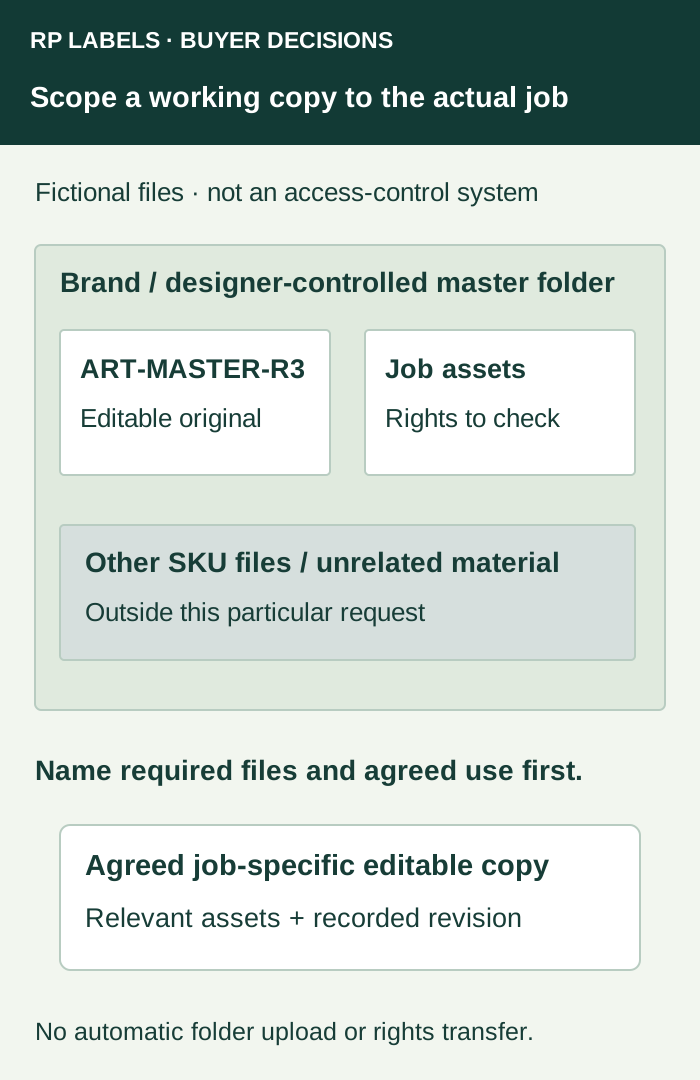
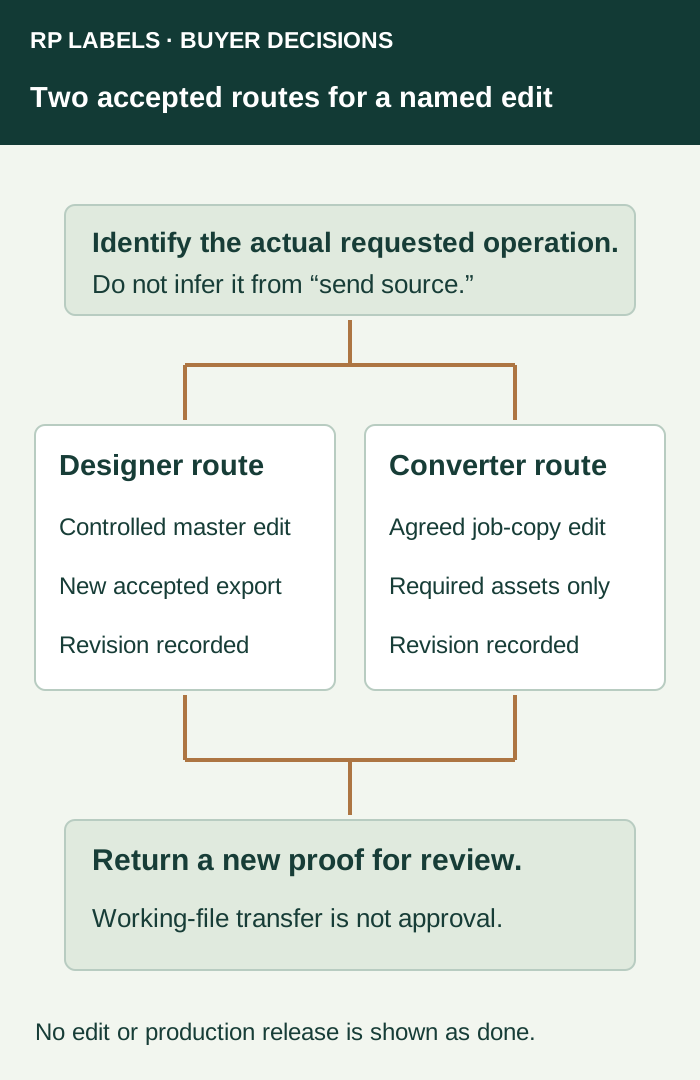
If the submitted PDF meets the printer’s actual requirements and no edit is needed, ask whether it can remain the accepted production handoff. If the printer needs a specific change, the brand’s designer may be able to make it in the controlled master and provide a new accepted export. Alternatively, where the parties agree that the converter will edit, identify the job-specific editable copy and supporting assets it needs.
Adobe’s packaging guidance describes collecting the Illustrator document and relevant supporting files. Packaging a project does not decide what another party is authorized to receive or do. Retain the font-license check already described above and identify which linked graphics belong to the job.
For example, a hypothetical request to separate an identified white-ink layer should name that layer and the intended operation. It is different from a request to revise the approved ingredient wording. Keep content changes with their responsible approver, even if an editable file makes those changes technically easy. Do not treat a working-file transfer as approval of any resulting artwork.
Record use and proof responsibility separately
Identify the submitted file revision, proposed edits, responsible editor, supporting assets, agreed use and the proof that must come back for review. Share through the channel and on the terms the parties actually agree. Do not infer confidentiality, permitted reuse, deletion obligations or intellectual-property rights from a file extension; resolve those matters under the actual agreement with appropriate advice where needed.
If the purpose of the request remains unclear, keep that handoff open and ask the designer and converter to resolve it. A well-scoped editable copy can help an accepted workflow, while a designer-controlled re-export can be a reasonable alternative where it meets the printer’s requirements. Neither route is a universal rule for every label order.
In the RP inquiry, state which file is available, the exact production issue raised, who may make the proposed change and which proof needs approval. The contact page prepares a draft; send the relevant files through the email or WhatsApp route you choose. It does not automatically transfer a project folder or authorize an edit.
What to send with the label inquiry
Send RP Labels the finished label size and dieline, the approved copy reference, artwork or printer-ready PDF, quantity per design and a description of any expected revisions. Ask whether the proposed file is accepted, whether fonts should be embedded or outlined for this job, and what proof or physical sample can be supplied. Keep the editable source and font rights with the responsible owner.
The right file is the one the supplier can reproduce and the brand can update without losing the approved wording. Those are two different responsibilities; the handoff should make both visible.