Multilingual Supplement Labels: Control a Source-Copy Change
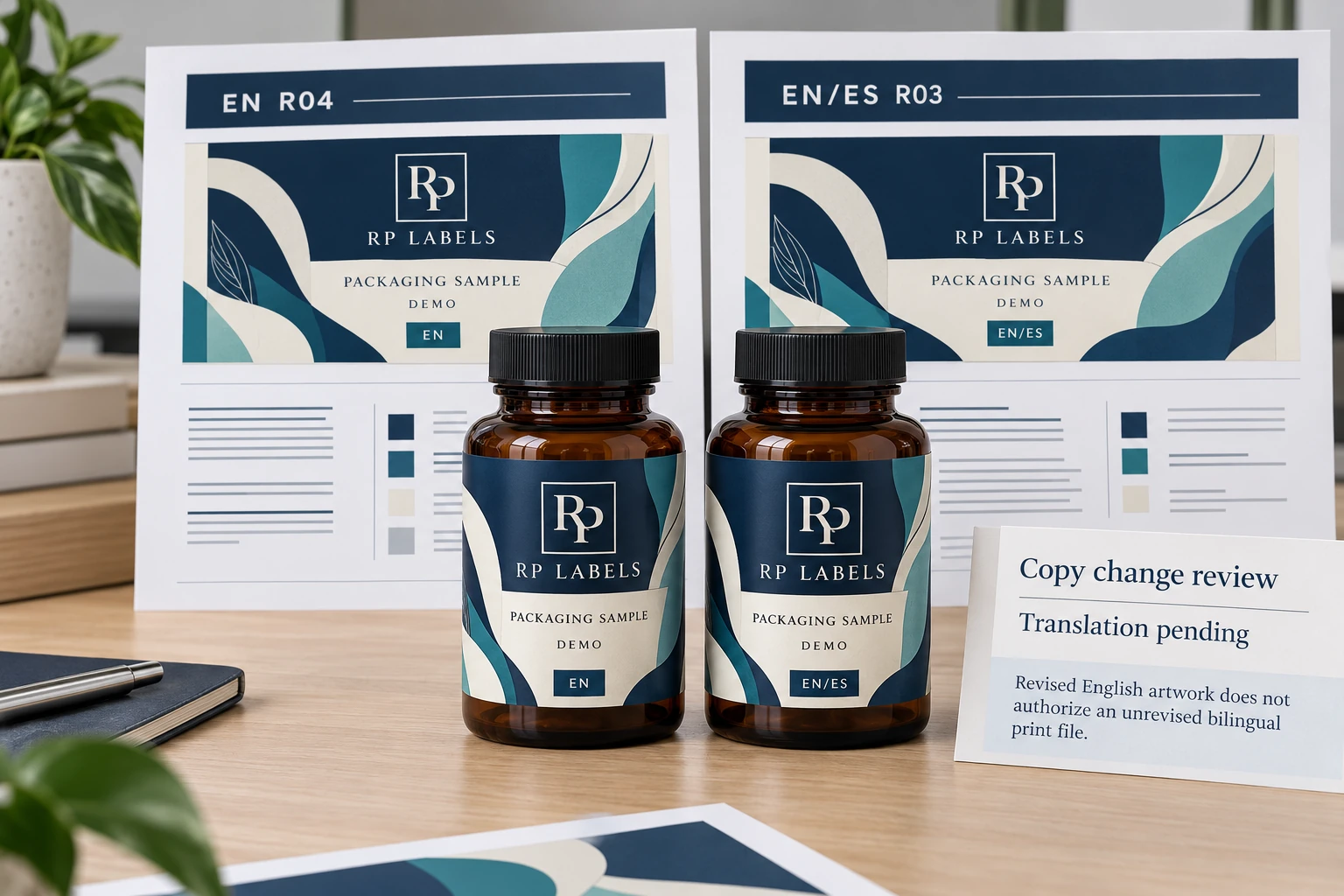
The English file moves to revision four. The bilingual file still carries revision three, but it looks almost identical in the folder. A source-copy change needs more than a new filename before both versions can be printed.
The short answer: create a market-by-SKU matrix before design, keep translations in a controlled source document, assign every artwork a unique revision ID and require one final approver. Multilingual layout is an information-control project before it is a typography project.
This guide addresses artwork production, not legal approval. Supplement requirements vary by jurisdiction and product. Use qualified regulatory reviewers for every market; the printer should reproduce approved content, not decide whether a claim or panel is compliant.
Reopen the affected translation, not just the English PDF
Consider a conditional example: the approved English source changes from R03 to R04, while the EN/ES artwork still uses R03 content. The file label alone does not say whether the change affects a translated block, a shared number, a code destination or only an English typographic correction. Start by recording the changed block and its dependency, not by replacing every '03' in the folder with '04'.
Give content blocks stable IDs so the source owner can identify what changed. The translation owner reviews the affected language text, and the artwork owner checks the layout after that text is placed. Those are separate decisions. A corrected translation can still overset its panel; a tidy panel can still contain an unapproved translation.
The example dependency sheet records the approved source revision used by each artwork. Mark the bilingual version as awaiting translation or layout review where appropriate. Do not mark it approved merely because the English version has a later date. If the change does not affect that language block, retain the reason and the responsible reviewer's decision rather than relying on silence.
One combined label may reduce the number of printed versions but can make several language approvals depend on one release. Separate versions may let an unchanged approved artwork continue while another is reviewed, if the product and market owners permit it. That flexibility comes with additional stock control. Neither format removes the need to approve the complete label for its intended sales route.
Before sending quantities to the printer, connect every PO line to the actual artwork revision and its approved copy source. Leave held versions out of the release, with an owner for the next action. Send RP the controlled text, language set, marked change list and per-version quantities; have the relevant buyer reviewers approve content and destination requirements. The printer can check reproduction and layout, but a later file date cannot supply that authority.
Download the worked example CSV · Open the working CSV · Read the field guide. The entries are planning examples, not completed results.
Build the market matrix before the first layout
For each SKU, list destination market, required languages, formula, net contents, serving information, responsible-party details, warnings, barcode, claims and contact information. Mark what is shared and what changes. This becomes the control sheet for artwork, quoting and inventory.
Without that matrix, a “bilingual version” can quietly turn into several files with different barcodes, claims and addresses. The label dimensions stay the same while the commercial identity changes underneath.
Translate approved copy, not decorated artwork
Keep source copy in an editable table with one row per content block and one column per language. Give each block an ID. Translation, regulatory review and corrections happen there before text is placed into design software.
Copying text between PDFs invites missing sentences and punctuation errors. It also makes it difficult to prove which translation was approved. The printer can check for overset text and production issues, but should not be treated as the translator or regulatory authority.
Control rule: one approved copy source, one artwork owner, one revision ID and one signed final proof for every printed version.
Allow for text expansion and real fonts
Translations do not occupy equal space. A compact English heading may expand in French, Spanish or another language. Reserve layout capacity before reducing type. Use fonts that contain the required characters and punctuation, then package or outline production artwork according to the printer's workflow.
Choose one combined label or separate market versions
A combined multilingual label can reduce inventory and simplify shared packaging, but it increases copy density and makes every market wait for the same revision. Separate versions give more readable space and local flexibility, but create more SKUs, proofs and stock to control.
A peel-and-reveal construction can add room without increasing bottle size. It also adds cost, thickness and application considerations. It should be chosen because the information architecture needs it, not as a last-minute place to hide copy.
Name files so production cannot guess
A practical identifier can include brand, SKU, bottle size, market/language set, revision and date: for example, VF-OMEGA60-CA-ENFR-R03-20260925. Put the same ID in the artwork slug area, approval record and purchase order.
Never rely on “final,” “latest” or an attachment timestamp. Archive superseded versions where they cannot be selected accidentally, while preserving a change log that explains what changed and who approved it.
Proof the differences, not only the appearance
Compare every proof against the market matrix. Check language sequence, headings, ingredient names, warnings, net contents, responsible-party details, barcode, QR destination, LOT/EXP field and version ID. Use a text comparison process in addition to visual review.
Use the applicable requirements and qualified buyer reviewers for the intended sales route. The FDA Dietary Supplement Labeling Guide is a general starting reference; this artwork-control guide does not determine market compliance.
Release checklist
- Complete a market-by-SKU content matrix
- Use qualified translation and regulatory review
- Keep approved copy outside the artwork file
- Allow text expansion before setting minimum type
- Confirm fonts support every required character
- Assign a unique version ID to label, proof and PO
- Compare every market-specific field before approval
- Archive the signed proof and retire old production files
Bring the decision into your print brief
Use the identified references and open items in the worked record when discussing your custom print project. Include the actual package, artwork revision, quantity per design and the conditions explained above; leave unknown inputs marked for confirmation. Review the relevant custom-label service, then send the project details to RP Labels.
Related buying decisions
- Multi-SKU Supplement Labels: Approve the Exceptions Before the Family Master
- Supplement Label Claims: Freeze Reviewed Copy Before You Print
- Peptide Vial Label Revisions: Keep Old and New Rolls Apart
Sources and scope
Reviewed October 25, 2026. Primary supplier or official reference supports the identified production concept. Procurement comparisons and worksheets are editorial guidance. Conditional examples are not customer records, completed tests, regulatory approval or universal acceptance standards. Confirm the actual proposed construction and process with the responsible supplier and buyer.